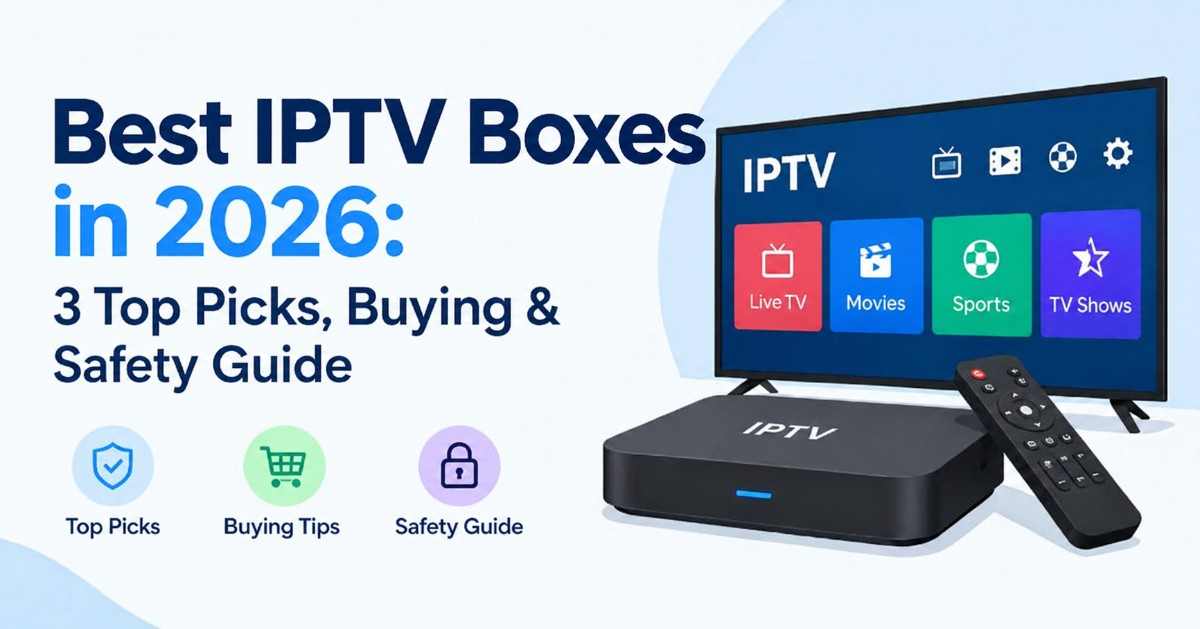
The best IPTV boxes in 2027 depends on your budget and streaming needs. The Formuler Z11 Pro Max is the best overall choice for a simple, cable-like live TV experience, the BuzzTV X5 AX is ideal for recording and pausing live TV, and the onn. 4K Pro is the best budget option for users comfortable installing an IPTV player app. Before buying, check device compatibility, streaming quality, software updates, and whether your IPTV service provides properly licensed content.
Quick answer: which IPTV box should you buy?
The top IPTV box for most people in 2027 is the Formuler Z11 Pro Max. It has a 4K-enabled Android 11 platform, with 4 GB of RAM, 32 GB of storage, and an app (MyTVOnline 3) designed for live TV. If you want built-in recording capability, go with a BuzzTV X5 AX model. If you are willing to just spend a few bucks more (roughly $50-60) and are comfortable setting up a player app, get the onn. 4K Pro.
| Pick | Best for | Platform | RAM / storage | Approx. price (US) |
| Formuler Z11 Pro Max | Best overall, IPTV-first experience | Android 11 + MyTVOnline 3 | 4 GB / 32 GB | About $190 to $200 and up, depending on seller |
| BuzzTV X5 (AX models) | Recording and timeshift | Android 11 + BuzzTV 5 app | 4 GB / 64 GB or 128 GB | About $200 for the 128 GB edition |
| onn. 4K Pro | Best budget pick | Google TV | 3 GB / 32 GB | $49.88 at the 2024 launch; a 2027 refresh was reported near $60 |
What is an IPTV box?
IPTV box A small streaming box that allows you to access various TV channels and videos through the Internet, instead of conventional cables, satellite TV or over-the-air broadcasts. IPTV stands for Internet Protocol Television and together with the IPTV box will hook up your TV to your router using either Wi-Fi or Ethernet connection.
There are specialist IPTV boxes that look great, have guides and favorites buttons on the remote, and a really user-friendly interface. There are also regular Android and Google TV boxes that only become “IPTV boxes” when you install a player app on them. Netflix and YouTube are not commonly labeled as IPTV because they’re available without a specific box.
First, be clear: the box is just the player. It does not include the channel. You will still require a source or subscription to that source and for that source to be licensed, which I discuss below in the legal section.
IPTV box vs Android TV box vs Google TV streamer
A custom-built IPTV box is simpler, more like your TV, while an Android / Google TV box is more flexible and generally costs less. The only who’ll do the same trade-off: generic Android devices do more but demand more from you and custom-built boxes are more like a cable box.
| Dedicated IPTV box | Android TV / Google TV box | Fire TV or Google TV stick | |
| Examples | Formuler, BuzzTV, MAG | onn. 4K Pro, Nvidia Shield, MECOOL | Fire TV Stick 4K, Google TV Streamer |
| Interface | TV-style guide, built-in IPTV app | General app launcher | General app launcher |
| Setup effort | Low to medium | Medium | Medium; many IPTV apps need side-loading on Fire TV |
| Recording | Often built in | Depends on the app | Depends on the app |
| Flexibility | Moderate | High | High |
| Typical price | Higher | Lower | Lowest |
| Best for | People who want it to feel like cable | Tinkerers and budget buyers | Casual users and travelers |
How these picks were chosen:
I weighted six things, in this order:
Support and security: A brand-name device with firmware upgrades on a steady basis will serve you better than an unknown box promising so much.
- IPTV-specific features: Guide (EPG), favorites, catch-up, timeshift and recording.
- Performance: In reviews published it is possible to see processor, RAM, number of computer freezes mentioned in published reviews.
- Networking: Gigabit Ethernet + the latest Wi-Fi, since poor networking is the main cause of buffering.
- Compatibility: How seamlessly it integrates with the ways most services deliver streams.
- Cost of ownership: The overall worth of something based on its price and the costs of use.
In addition, I verified every spec I cited on the product pages for every spec and I checked at least one independent source for every figure. Whenever I find discrepancies I report that.
3 best IPTV boxes in 2027
1. Formuler Z11 Pro Max: best overall IPTV box
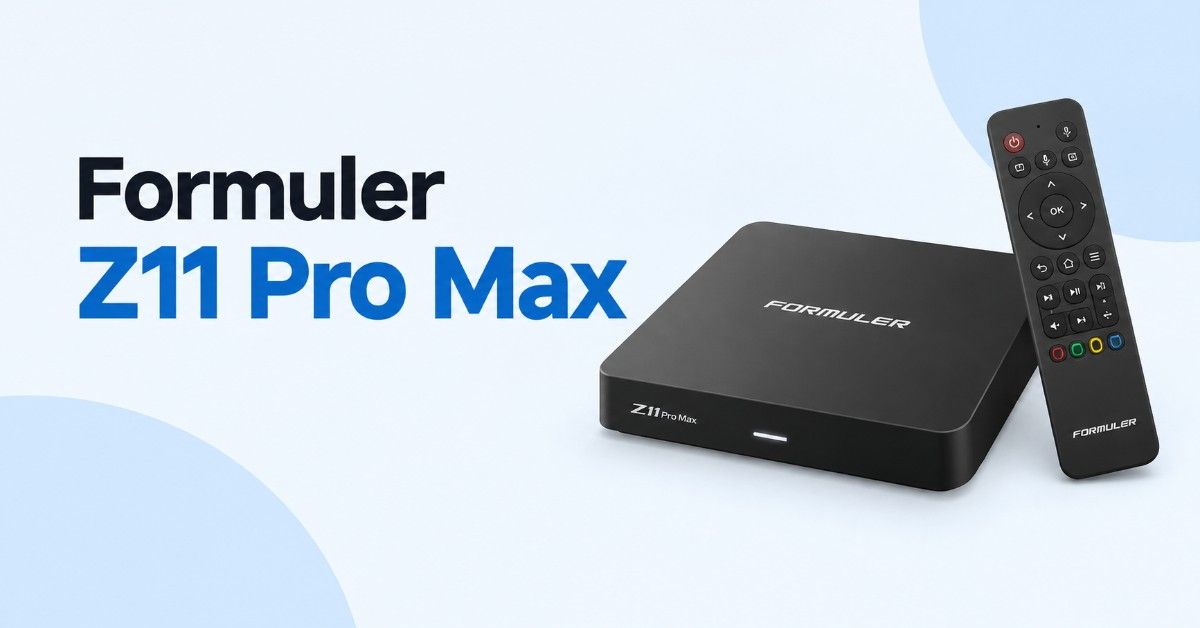
Best for: people who want an IPTV-first box with a polished interface, strong hardware and Wi-Fi 6.
| Spec | Formuler Z11 Pro Max |
| Processor / GPU | Realtek RTD1319C / Mali-G57 |
| RAM / storage | 4 GB DDR4 / 32 GB eMMC |
| Operating system | Android 11 |
| Output | 4K (3840 x 2160) up to 60 fps, HDR10+ and HLG per retailer listings |
| Networking | Wi-Fi 6 (AX 2×2), Gigabit Ethernet, Bluetooth 5.0 |
| Extras | Micro-SD slot, IR extender, Widevine Level 1 DRM |
| Typical US price | Around $190 to $200 and up, depending on seller and remote edition |
The Z11 Pro Max is the box that most independent reviewers seem to return to, and this is as much about software as hardware. Formuler bundles its own live-TV app, MyTVOnline 3, which provides you with a dedicated channel guide, favourites and recording – all presented in a way you’ll recognise if you’ve ever used cable TV. The included remote has dedicated IPTV keys for guide and favourites, which may seem trivial until you’ve spent a week with a generic launcher and arrow keys.
On the specs paper, it is one of the best specs for this course. Formuler just says a real-time: RTD1319C processor, 4GB of DDR4 RAM and 32GB of storage, while the manufacturer’s website reveals that it has Android 11 and Wi-Fi 6. The retail specifications reveal Gigabit Ethernet, micro SD slot, and IR extension cable, which is good if the box is kept in a cabinet.
Pros
- Built-in MyTVOnline 3 app designed for live TV, with guide, favorites and recording options
- Wi-Fi 6 plus Gigabit Ethernet
- 4 GB RAM and 32 GB storage, with a micro-SD slot for more
- Clean home screen without ad clutter, according to the manufacturer
- Compatible with VPN apps
Cons
- Priciest of the three picks
- Netflix playback is limited. Two independent reviewers (TROYPOINT and WirelesSHack) both flag limited Netflix certification, with TROYPOINT noting standard-definition quality. If Netflix in HD or 4K is non-negotiable for you, keep a Fire TV or Google TV device for it.
- Runs Android 11, so you are not getting the newest Android release
- Prices vary a lot by seller and remote edition
2. BuzzTV X5 (AX models): best for recording and timeshift
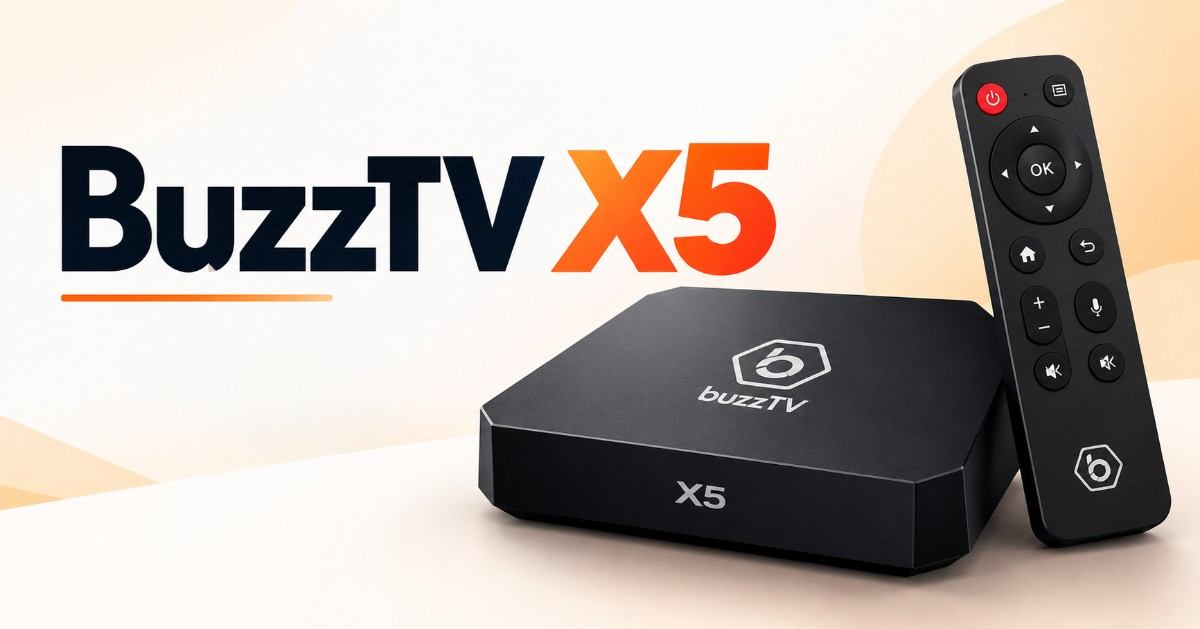
Best for: people who want to record live TV and pause or rewind it, with a box built around that workflow.
| Spec | BuzzTV X5 AX (Special Edition / AX-C) |
| Operating system | Android 11 with the BuzzTV 5 app |
| RAM / storage | 4 GB DDR4 / 64 GB or 128 GB, depending on model |
| Networking | Wi-Fi 6, Gigabit Ethernet, Bluetooth 5 |
| Remote | BT-400 Bluetooth smart remote |
| IPTV features | PVR+ scheduled recording, TimeShift on live TV |
| Typical US price | About $200 for the 128 GB edition at regular price |
BuzzTV is a Canadian manufacturer that builds its devices around its own IPTV-focused software layer. The X5 AX models pair 4 GB of RAM with Wi-Fi 6 and Gigabit Ethernet, and the pitch is the BuzzTV 5 app: it adds scheduled recording (PVR+), the ability to pause, rewind and fast-forward live TV where the stream allows it, and a Bluetooth remote you can program for quick access to your favorite apps. TROYPOINT’s buyer’s guide also lists a long run of firmware updates adding things like automatic frame-rate matching, backup and restore, and improved subtitle controls, which is a good sign for long-term support.
Another practical point from the same manual is that whenever you are using BuzzTV Gen 5 to record your IPTV programs, the record will consume one connection from your account, which means if you have only limited simultaneous streams per your plan, then your recordings may eat one of them.
Pros
- Recording (PVR+) and timeshift built in
- 4 GB RAM, Wi-Fi 6 and Gigabit Ethernet
- Large storage options, up to 128 GB
- Regular firmware updates reported by independent reviewers
- A range of cheaper Gen 5 models exists if you do not need the top specification
Cons
- Many similar model names (X5, X5 AX-C, Special Edition, B5, U5), which makes shopping confusing. Check the exact RAM, storage, Wi-Fi standard and remote before you pay.
- Costs about the same as a Formuler
- Recording and timeshift depend on your source allowing them
- Older reviews describe a weaker Wi-Fi 5 version, so make sure you are buying an AX model
3. onn. 4K Pro: best budget pick
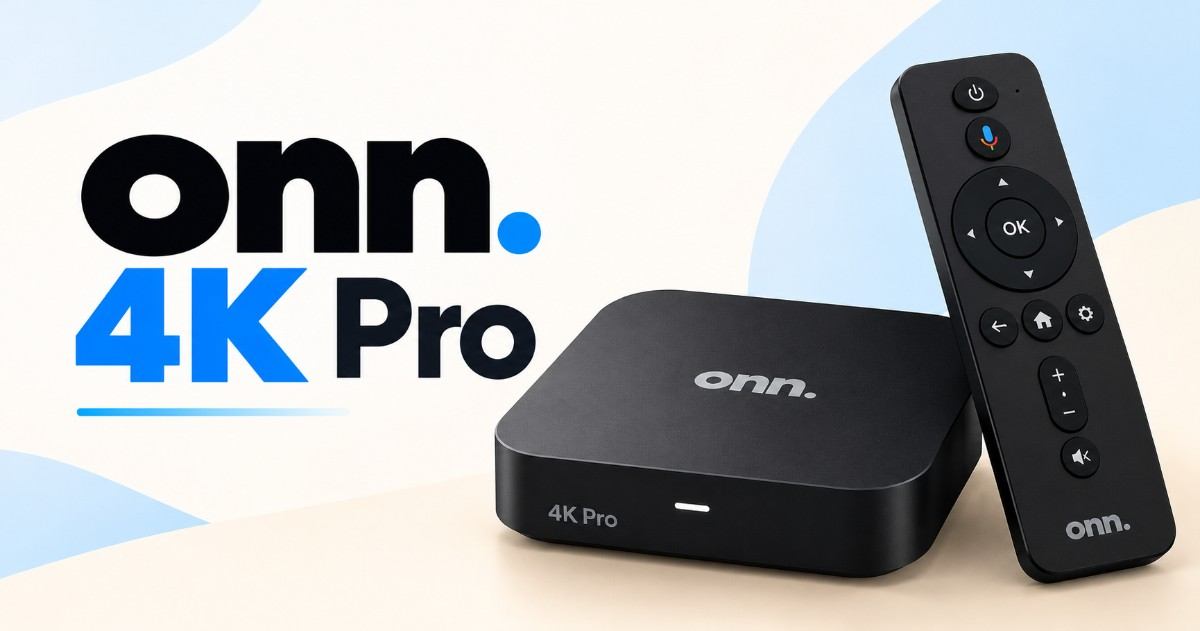
Best for: budget shoppers and first-timers who want a capable box and are comfortable installing a player app.
| Spec | onn. 4K Pro (2024 model) |
| Processor | Quad-core Cortex-A55, Mali-G31 MP2 GPU |
| RAM / storage | 3 GB / 32 GB |
| Operating system | Google TV |
| Networking | Wi-Fi 6, Ethernet port, USB 3.0 |
| Video / audio | 4K, Dolby Vision and Dolby Atmos |
| Typical US price | $49.88 at launch; 2027 refresh reported around $60 |
The Walmart onn. 4K Pro is the unexpected winner. It started at $49.88 with 3 GB of RAM, 32 GB storage, Ethernet, and Wi-Fi 6, and even has side-loading for playing around with IPTV player apps. The 2027 Gemini upgrade is about $60 with the same specs, so buy based on model and price.
It’s not a dedicated IPTV box, so it will all come down to the app you load onto it. However, the fact that it is a Google certified box is a plus, it’s safer than random “unlocked” boxes.
Pros
- Excellent value for the specification
- Google TV, Dolby Vision and Atmos support
- Ethernet port, Wi-Fi 6 and USB 3.0
- Works with licensed live-TV apps out of the box
Cons
- Not IPTV-specific; no built-in guide app tailored to live TV
- Ethernet is reported as 10/100 on at least one retailer listing, so it is not Gigabit
- Needs a player app and a little setup know-how
- No recording features unless your chosen app or service provides them
Other IPTV boxes and streamers worth knowing
However, three listings can’t fit every scenario so here is how the major choices stack up. Prices are what TROYPOINT put in its October 2027 update unless otherwise stated. They change frequently.
| Device | Platform | Why consider it | Main drawback |
| NVIDIA SHIELD TV Pro (about $199.99) | Android TV | Very fast, dual USB, Ethernet, strong long-term reputation | Expensive, and WirelesSHack says it is starting to show its age |
| Google TV Streamer (about $99.99) | Google TV | 32 GB storage, certified platform, 4K, Gigabit Ethernet | Not IPTV-specific; you add your own player app |
| Fire TV Stick 4K | Fire OS | Cheap and widely supported | Most IPTV apps must be side-loaded, which is not for everyone |
| Fire TV Cube, 3rd gen (about $139.99) | Fire OS | 16 GB storage, hands-free Alexa | Costs more than double a Fire TV Stick 4K Max, per TROYPOINT |
| MAG 324 (about $79.99) | Linux | Simple, stable, easy for beginners | 1080p only; no app store |
| MAG 4K models (such as the 424w3) | Linux | 4K and HEVC support, according to a reader comment on WirelesSHack | Still portal-based, with the limitations covered below |
| Ugoos SK1 (about $205) | Stock Android | 8 GB RAM, 128 GB storage | No Google Play and no Netflix in HD, per TROYPOINT |
| Mini PC (for example Beelink SEi8) | Windows | Runs anything a PC runs | Larger, costs more, overkill for most people |
Buyer’s guide: How to select an IPTV box?
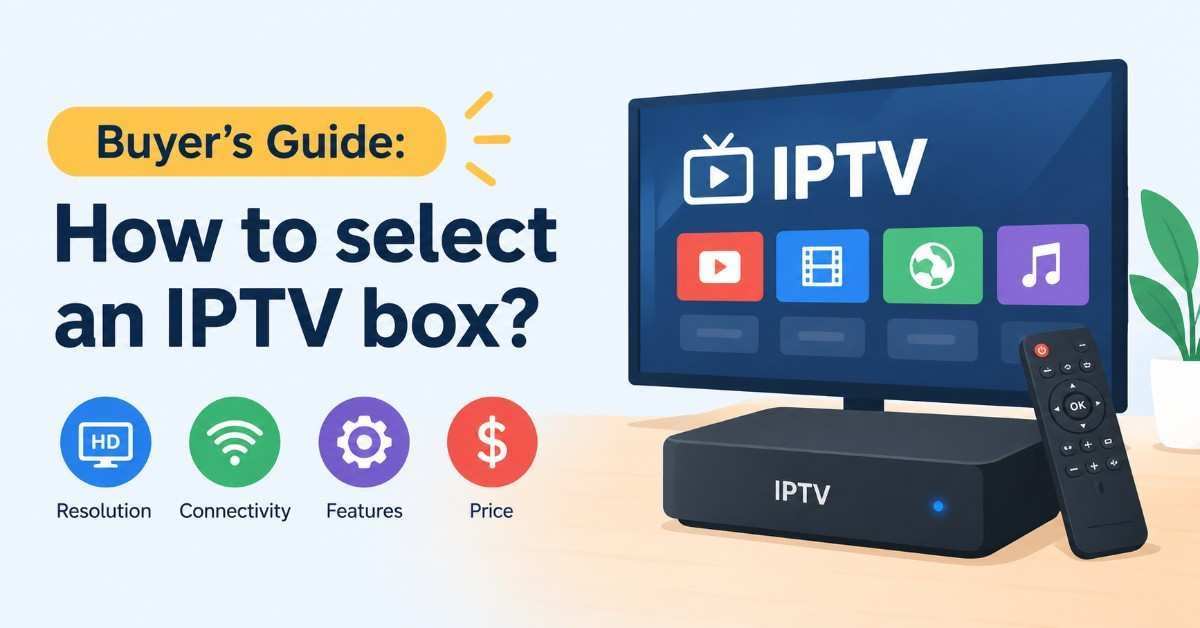
Choose the platform first, then the hardware. The worst buys are the result of buying a big box for a service that needed a smaller one.
1. Match the box to your service
Check with your provider in writing which apps and devices it supports. A few providers send streams to a portal on MAG-style boxes. The rest provide you with a login or playlist to use with a player app on Android and Google TV. A great box on paper can still be a bust if it doesn’t fit your provider’s streaming format.
2. Processor and RAM
4K streams with a guide with channel logos: opt for a quad-core CPU with 3GB to 4GB of RAM. The above 3 options are in this range. Boxes with 1GB to 2GB of RAM can process video but generally seem slow when you’ve got hundreds of channels in a guide.
3. Storage
16 GB is workable, 32 GB lets you breathe a little bit, 64 or 128 GB matter only if you’re going to record locally. Is there a micro-SD or USB?
4. Networking
Opt for Gigabit Ethernet and Wi-Fi 6 when you can. We will mention WirelesSHack’s tip that makes sense: streaming is usually a reason to use a wired connection since some Wi-Fi connections buffer. If your box is far from your router, a device with good antennas or a powerline or mesh network is valuable.
5. Video, audio and DRM
4K and HDR support and the supported formats, but also supported-protected-content. Widevine Level 1 is responsible for HD and 4K streams in many commercial apps. The Formuler has it, and some reviewers still mention Netflix limitations on IPTV boxes, so find out what apps you really want.
6. Remote and interface
A remote with guide, favourites and record buttons saves you effort when you’re using it every day. Using a Bluetooth remote that’s programmable and doesn’t require line of sight is a real bonus if your box is behind the television.
7. Time shifting and recording
To record or pause live TV make sure that you’ve got the right box for the job and that your service can do it. Some boxes have a recorder built in but the service must enable it.
8. Updates & support
You’ll need to get firmware updates directly from the brand makers. WirelesSHack readers have expressed frustration at some MAG support from manufacturers, so read current owner comments and warranty details before buying.
How much internet speed do you need?
Netflix recommends around 5 Mbps for 1080p and around 15 Mbps for 4K of streaming bandwidth per simultaneous Netflix stream. Live IPTV streams will vary by provider and codec; use those as a starting point and be sure to have plenty of overhead.
| Quality | Netflix-recommended speed | Practical advice |
| HD (720p) | 3 Mbps or higher | Fine for small screens |
| Full HD (1080p) | 5 Mbps or higher | Add headroom for other devices |
| 4K UHD | 15 Mbps or higher | Prefer wired Ethernet |
If 2 are streaming while someone video-calls, total it out. In a household requiring 2 4K streams plus everyday use, you’re well above 40 Mbps and having a wired connection is more helpful than upgrading plan if Wi-Fi is where the issues are.
Are IPTV boxes legal and safe?
Is an IPTV box legal?
Yes. Buying and owning an IPTV box is legal; what matters is whether the content you watch is licensed. TROYPOINT, AndroidTVNews and Plume all make the same point: the hardware is not the problem, the source of the channels can be.
Unlicensed services are a legal risk. AndroidTVNews cites enforcement against pirate IPTV services such as Seko IPTV, whose domains were seized by anti-piracy coalitions, and against the HDO Box app. Those are examples of how real the enforcement is, though I would not use them to predict what happens to any individual viewer. If you are unsure about a service, the safest path is to choose one that is clearly licensed.
A point that gets muddied online: a VPN does not make an unlicensed service legal. A VPN is a privacy tool. It is reasonable to use one for privacy on public Wi-Fi or to avoid ISP throttling, but it is not a legal fix.
Licensed alternatives
If you want live TV without the risk, licensed apps such as Sling TV, Hulu + Live TV, Fubo and YouTube TV run on Google TV devices like the onn. 4K Pro. A free over-the-air antenna also still works for local channels. Both routes are legal, and neither requires an “IPTV box” at all.
The safety problem is bigger than the legal problem
The most common way people get hurt is not a lawsuit; it is a bad box. In June 2025 the FBI published a public service announcement (Alert I-060525-PSA) describing the BADBOX 2.0 campaign, in which cheap, off-brand Android streaming devices were found carrying malware, either installed before purchase or delivered through required apps.
The FBI’s list of warning signs is useful as a buying checklist:
- The box asks you to turn off Google Play Protect.
- It is sold as “unlocked,” “fully loaded” or able to access free content.
- It comes from an unknown brand.
- It sends you to a suspicious app marketplace instead of the official store.
- You notice odd network activity you cannot explain.
Security researchers quoted in coverage of the announcement noted the infected devices were Android Open Source Project devices, not Play Protect certified Android TV devices. That is a strong reason to favor certified platforms such as Google TV, and to be careful with anonymous boxes. TROYPOINT also warns against vSeeBox and Superbox-style devices and “lifetime subscription” offers, because nobody can honestly promise a service for life.
A quick safety checklist before you buy:
- Buy from the manufacturer or a major retailer.
- Avoid anything sold as preloaded, jailbroken or fully loaded.
- Install apps only from the official store or the maker’s documented method.
- Never disable Play Protect because an app tells you to.
- Use a separate password you do not reuse elsewhere.
- Keep firmware updated.
If you suspect a device is compromised, disconnect it from your network and consider reporting it at ic3.gov, the FBI’s Internet Crime Complaint Center.
How to set up an IPTV box (first-hour guide)
These steps work for most app-based boxes. MAG-style boxes differ at steps 4 and 5.
- Connect with Ethernet if you can. Plug the box into the router, then into your TV by HDMI. Use Wi-Fi only if wiring is not practical.
- Complete the first-run screens and sign in to the platform account the box asks for.
- Update the firmware before installing anything else. Updates often fix streaming bugs.
- Install your player app from the official store, or open the built-in app if your box has one (MyTVOnline 3 on a Formuler, BuzzTV 5 on a BuzzTV).
- Add your service details exactly as your provider gave them to you. On a MAG box, this step is replaced by sending the box’s MAC address to your provider.
- Load the guide (EPG) and wait a few minutes for it to populate.
- Set favorites and hide the channels you will never watch.
- Test at peak time. An evening check tells you more than a quiet morning one.
- Back up your settings if the box offers it. BuzzTV, for instance, lists backup and restore in its updates.
Fixing buffering: work through it in this order
Buffering has a short list of usual suspects. Try them in order:
- Switch to Ethernet. If it fixes the problem, Wi-Fi was the cause.
- Run a speed test on the same network. Netflix’s help page suggests checking speed and lowering video quality if your connection is limited.
- Restart the box and the router.
- Lower the quality setting in your player or choose a lower-bitrate stream.
- Test another stream. If only one channel struggles, the source is the problem.
- Turn a VPN off briefly. Encryption can slow a connection, as AndroidTVNews points out.
- Free up storage and update the app.
- Contact your provider. If every device struggles, the cause is not the box.
Common mistakes to avoid
- Buying a box before confirming what your service supports. The costliest mistake of all.
- Chasing the cheapest “unlocked” box. Low price plus big promises is the pattern the FBI warned about.
- Assuming every model name is the same product. BuzzTV and Formuler both have several variants with different RAM, storage and Wi-Fi.
- Relying on weak Wi-Fi for 4K. Use a cable when you can.
- Paying for a service for a year up front. Start with a short term, test at peak hours, then extend.
- Using a VPN as a legal shield. It is not one.
- Skipping firmware updates.
- Expecting Netflix in 4K on every IPTV box. Check app support first.
Which IPTV box for which person?
| If you are… | Choose | Why |
| A first-timer who wants it to feel like cable | Formuler Z11 Pro Max | IPTV-first app, simple guide, dedicated remote buttons |
| Someone who records shows or watches sports on delay | BuzzTV X5 AX | PVR+ and timeshift built in |
| On a $50 to $60 budget | onn. 4K Pro | Strong specs for the money, certified Google TV platform |
| A heavy Netflix and Disney+ viewer | Google TV Streamer or Shield alongside any IPTV use | Better commercial-app support |
| Using a service that only supports MAG portals | A MAG 4K model | Matches how the service delivers content |
| A casual user who wants only licensed live TV | onn. 4K Pro or Google TV Streamer | No IPTV box needed |
An example. Priya has a 4K TV and a gigabit fiber connection. Her family watches live sports and likes to record matches to watch later. The BuzzTV X5 AX fits her best because recording and timeshift are built in, and she can wire it to the router. Her brother Dev, in a small apartment with a 1080p TV, just wants live news and a few movie channels on a tight budget. For him the onn. 4K Pro is plenty. (These are illustrative examples, not real customers.)
Final verdict
If you want the simplest path to a cable-like live TV experience, buy the Formuler Z11 Pro Max. If you care about recording and timeshift, buy a BuzzTV X5 AX. If you want a capable box without spending much, the onn. 4K Pro is a hard deal to beat, as long as you accept some setup. Whichever you pick, buy from a reputable seller, steer clear of anything sold as “unlocked” or “fully loaded,” and confirm that your content source is licensed. The IPTV box is not the one with the biggest spec sheet; it is the one that matches your service, your network and your tolerance for tinkering.
Frequently asked questions
What is an IPTV box in 2027?
For most people, the Formuler Z11 Pro Max. It pairs 4 GB of RAM, 32 GB of storage, Wi-Fi 6 and an IPTV-focused app. For recording, choose a BuzzTV X5 AX; for budget, choose the onn. 4K Pro.
Are IPTV boxes legal in the United States?
Yes, the hardware is legal to buy and use. Legality depends on the content: licensed services are fine, unlicensed ones can expose you to risk. A VPN does not change that.
What is the difference between an IPTV box and an Android TV box?
An IPTV box is built around live TV, often with a dedicated app and remote. An Android or Google TV box is a general-purpose device that becomes an IPTV box when you install a player app. Android boxes are usually cheaper and more flexible; IPTV boxes are usually simpler to live with.
Do I need a subscription to use an IPTV box?
Yes. The box is only the player. You need a licensed service or source for channels.
Do I need a VPN with an IPTV box?
No, it is not required. A VPN can add privacy on public networks and may help with ISP throttling, but it can also slow your connection and it does not make unlicensed content legal.
Is a Fire TV Stick good enough for IPTV?
It can be, and it is cheap, but WirelesSHack notes that most IPTV apps must be side-loaded on Fire TV, which is not for everyone. If you want something simpler, choose a dedicated box.
Is Ethernet better than Wi-Fi for IPTV?
Usually yes. WirelesSHack recommends a cable when streaming, since some Wi-Fi connections buffer. Wi-Fi 6 helps, but a wired connection is still the more reliable choice.
How much does a good IPTV box cost?
Budget picks like the onn. 4K Pro costs around $50 to $60. IPTV-first boxes like the Formuler Z11 Pro Max and BuzzTV X5 are around $190 to $200. Premium options such as the Shield Pro are about $200.
Can I record live TV on an IPTV box?
Sometimes. BuzzTV’s Gen 5 boxes include PVR+ and timeshift, and Formuler’s app offers recording options, but your service must allow it. On BuzzTV, a recording uses one of your service connections.
Why does my IPTV keep buffering?
The usual causes are weak Wi-Fi, a slow connection, an overloaded stream or an overloaded provider. Work through the troubleshooting order above, starting with a wired connection.



1 thought on “Best IPTV Boxes in 2027: 3 Top Picks, Buying & Safety Guide”